
Simon Willison Builds a Cycling Pelican for Codex Desktop, and Shows His Work
The Core · TL;DR
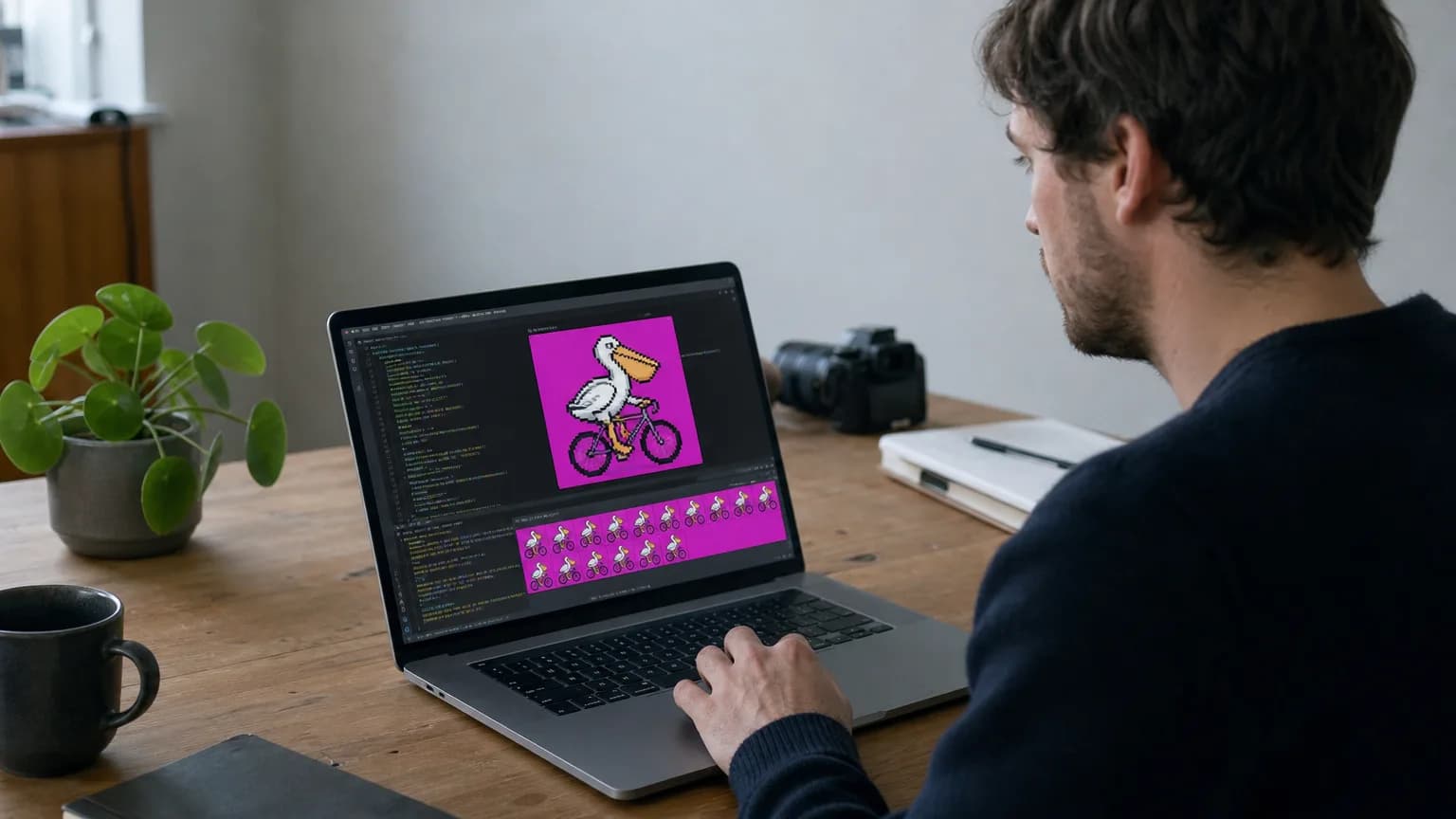
- .Developer Simon Willison built a custom animated pet, 'Pedalican' (a pelican on a bicycle), for Codex Desktop using GPT-5.6 Sol and gpt-image-2
- The workflow relies on two open-source Apache 2.0 skills, 'hatch-pet' and 'imagegen', both published by OpenAI
- The sprite was generated at 192x208 pixels with a magenta chroma-key background to simplify animation processing
- Willison published a full GitHub repo with all generated images, the sprite sheet, and animation GIFs, documenting the process end to end
A pelican riding a bicycle now lives inside Codex Desktop, thanks to a side project from developer Simon Willison that doubles as a walkthrough of OpenAI's image-generation stack. Willison calls his creation "Pedalican," a custom animated pet built for Codex Desktop's pet feature using GPT-5.6 Sol paired with gpt-image-2 for the actual sprite artwork.
Codex Desktop's pets aren't new. OpenAI introduced the animated companions back in May 2026, letting users decorate their coding environment with small on-screen characters. What Willison demonstrates is how far a motivated developer can push that feature using open tooling rather than whatever presets ship by default.
How the sprite got made
The process leaned on two Apache 2.0 licensed skills that OpenAI has published openly: hatch-pet, from the openai/skills repository, and imagegen, from openai/codex. Together they define the pipeline for turning a text concept into a usable animated asset inside the app. Willison ran gpt-image-2 through several generation passes, first producing reference images of the pelican-on-a-bike concept, then iterating toward a clean sprite sheet suitable for looping animation.
A key technical detail is the background choice. The final reference image was rendered at 192x208 pixels against a pure magenta backdrop (#FF00FF), a classic chroma-key trick that makes it far easier to strip the background out programmatically and produce a transparent, animation-ready sprite. It's a small decision, but it's the kind of detail that separates a usable game asset from a rough concept image, and it shows the generation workflow was tuned with the end animation loop in mind rather than treated as a one-shot image request.
Why the documentation matters more than the pelican
Willison didn't just ship Pedalican, he published a GitHub repository laying out the entire creation process step by step: every intermediate image, the final sprite sheet, and the resulting animation GIFs. That transparency is arguably the more useful part of the release. Rather than a polished announcement, it reads as a reproducible case study in using gpt-image-2 alongside skill-based scaffolding to generate game-ready assets, something developers experimenting with Codex Desktop's customization options can now follow directly.
The project fits a pattern familiar to anyone following Willison's blog: a lighthearted premise (a pelican, a favorite recurring test subject in his writing) used as a vehicle to probe how a new model or feature actually behaves under real use. Here, the test subject is gpt-image-2's ability to produce clean, chroma-keyed, animation-friendly sprites through an openly licensed skill pipeline, and the published repo means anyone can check his results, or replicate the workflow for their own custom pet.
Original reporting and research used to synthesize this article.
WAKIB Editorial Team
This review was prepared and summarized by the WAKIB AI intelligence engine and vetted by our editorial board for accuracy and reliability.
Subscribe to Newsletter
Get a weekly summary of the most promising AI research and tools delivered to your inbox.
Telegram Channel
Join our active community on Telegram for real-time tracking of AI models and trends.