
Figma Goes Full-Stack: Code Layers, AI Motion Graphics, and WebGPU Shaders Headline Config 2026
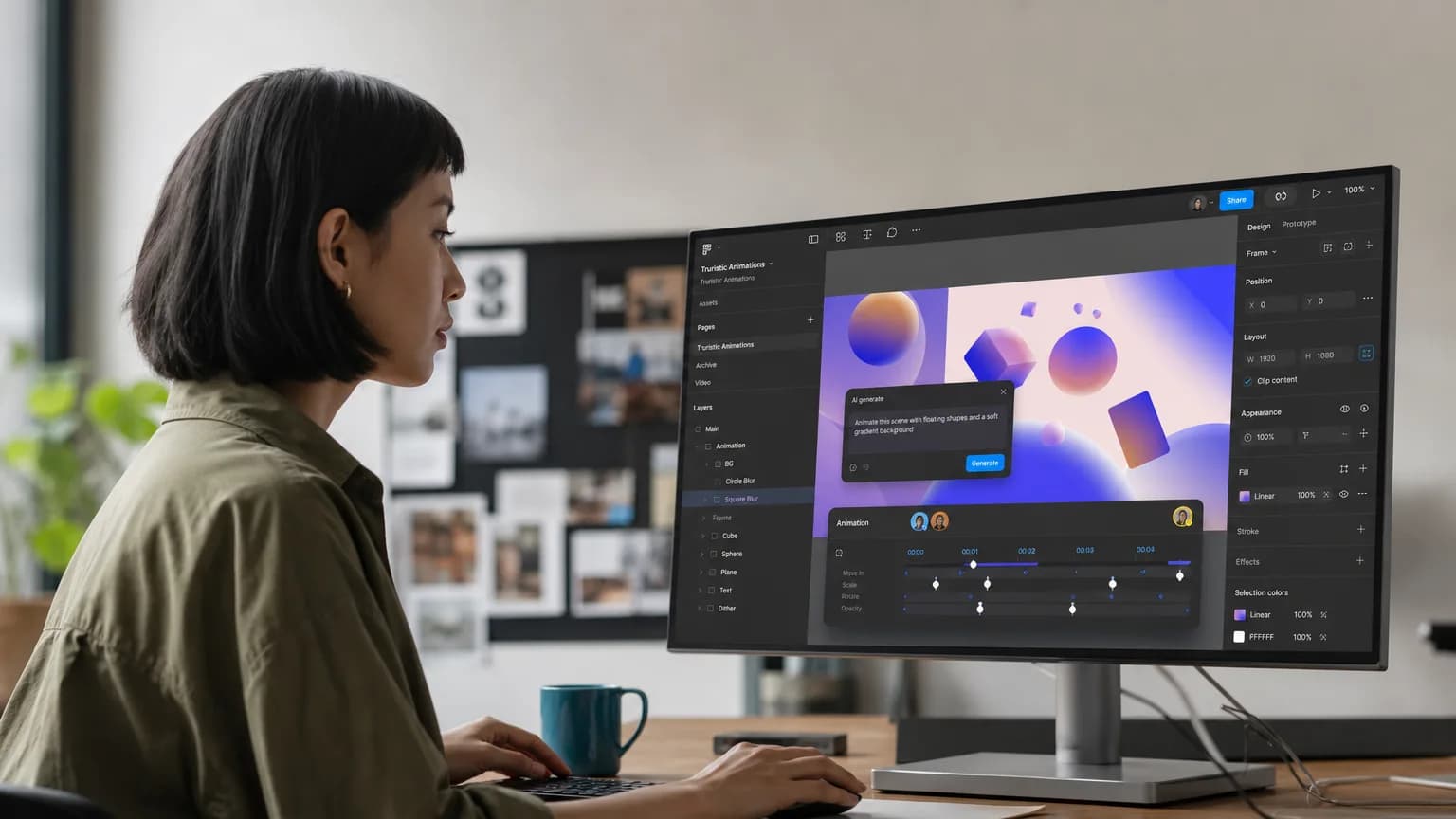
The Core · TL;DR
- Figma's Code Layers feature enables bidirectional sync between the design canvas and code repositories, replacing the traditional design handoff model.
- AI-generated motion graphics let users describe animations and 3D transforms in natural language, with output that is code-backed and design-system connected.
- WebGPU-powered shader tools allow canvas-level visual effects like dithering and blur via natural-language prompts.
- New agentic workflow features — including reusable skills, third-party connectors, and no-code plugin creation — expand Figma's agent into a persistent automation layer.
At its annual Config conference in San Francisco (June 23–25), Figma rolled out a sweeping set of updates that collectively push the design tool far deeper into the software development stack — and further into AI-driven automation than any previous release cycle.
Code Layers: Closing the Design-to-Dev Gap
The centerpiece announcement is Code Layers, a feature that embeds code directly onto the Figma Design canvas. Designers and developers can clone repositories, invoke Figma's built-in agent to generate new design directions, extract existing UI flows into editable design layers, and push changes back to code — all without leaving the canvas. The bidirectional sync is the critical piece here: it replaces the traditional, fragile handoff model with a live connection between design intent and production-ready code.
AI-Powered Motion and Visual Effects
On the visual side, Figma introduced AI-generated motion graphics that let users describe animations, transitions, and 3D transforms in natural language via a chatbot interface. These aren't isolated prototyping features — they're connected to design systems and code-backed, meaning the output is theoretically shippable rather than decorative. Alongside motion, new shader tools powered by WebGPU bring canvas-level visual effects (dithering, pixelation, various blur types) that users can prompt for directly, without touching a shader script.
Weave Integration and Agentic Workflows
Figma's Weave content-generation platform is also getting deeper design-tool integration. More than 20 Weave tools are now accessible for producing consistent, high-quality visuals, with fuller integration promised later this year. The agent layer itself is expanding: teams can codify repetitive processes into reusable "skills," tap third-party connectors, attach files, and pull in web search context — a shift toward treating Figma's agent as a persistent, configurable workflow engine rather than a one-shot assistant.
No-Code Plugin Creation
Generative plugins round out the release. Users can now build custom, reusable plugins by describing their needs to the agent, with no developer setup or prior technical knowledge required. The move lowers the floor for extending Figma's functionality and mirrors a broader industry pattern of making plugin ecosystems accessible to non-engineers.
Taken together, the Config 2026 announcements position Figma as something closer to a full-stack design-and-development environment than a standalone design tool — with AI woven into the compilation, animation, effects, and workflow layers simultaneously.
Original reporting and research used to synthesize this article.
WAKIB Editorial Team
This review was prepared and summarized by the WAKIB AI intelligence engine and vetted by our editorial board for accuracy and reliability.
Subscribe to Newsletter
Get a weekly summary of the most promising AI research and tools delivered to your inbox.
Telegram Channel
Join our active community on Telegram for real-time tracking of AI models and trends.