
DoorDash Brings Food Ordering to the Terminal With New CLI Tool
The Core · TL;DR
- DoorDash CTO Andy Fang announced a limited beta of 'dd-cli,' a command-line tool for searching stores, building carts, and placing orders from the terminal.
- The beta is currently open only to macOS developers in the U.S. and Canada via waitlist.
- The CLI joins DoorDash's existing AI-facing channels, including its 'Ask DoorDash' chatbot and integrations with OpenAI's ChatGPT and Anthropic's Claude.
- The move follows DoorDash's earlier iMessage ordering feature, reflecting a broader push to make its platform accessible to both human power users and autonomous AI agents.
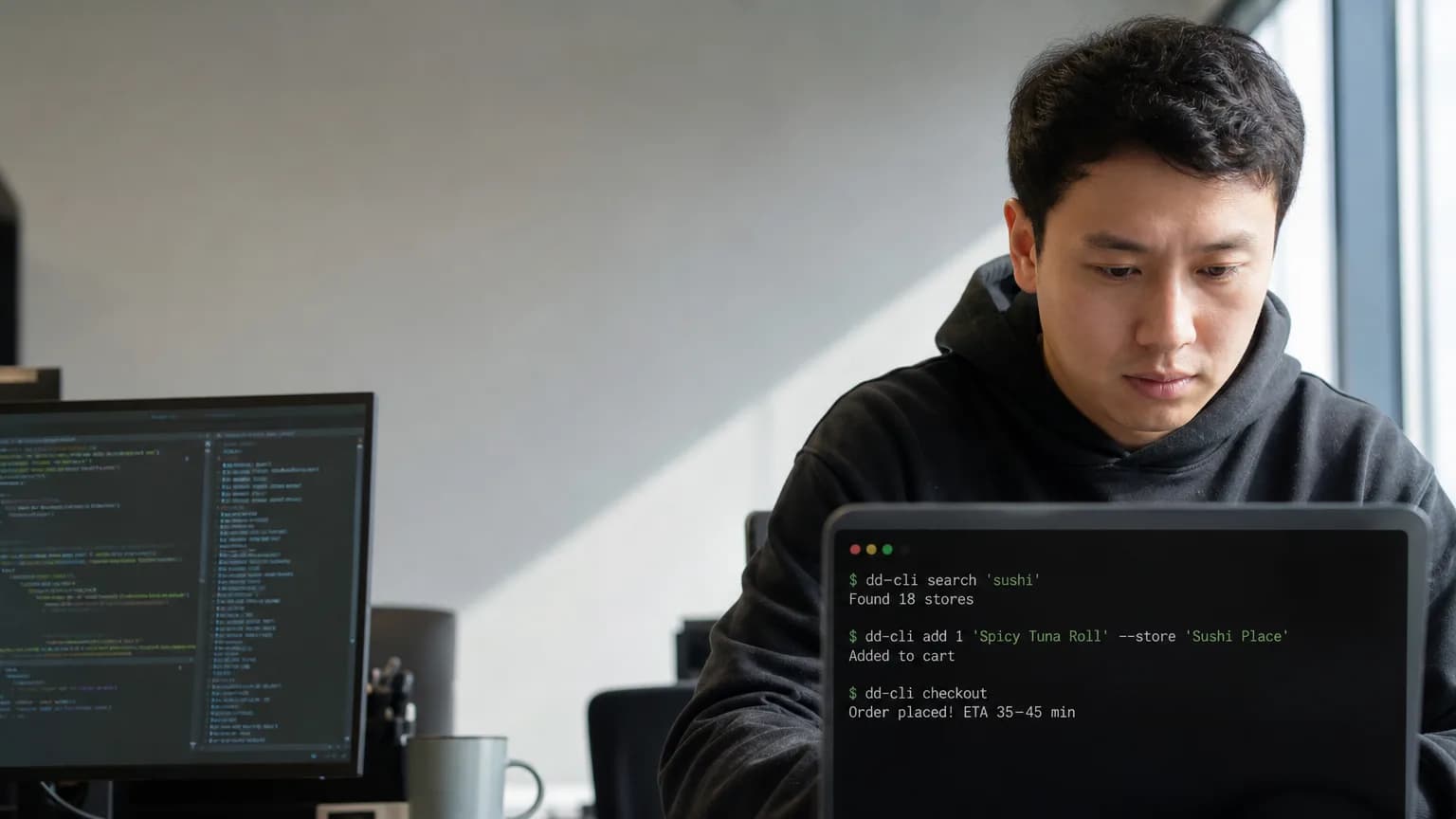
Andy Fang, DoorDash's co-founder and CTO, used a post on X on July 15, 2026, to unveil "dd-cli," a command-line interface that lets developers search restaurants, assemble carts, and place food orders without ever opening the app or a browser tab.
The tool is currently in a limited beta, restricted to macOS users in the United States and Canada who sign up through a waitlist. It marks the latest step in DoorDash's push to make its ordering pipeline accessible to machines as much as to humans, extending a strategy that already includes its own "Ask DoorDash" chatbot and integrations that let third-party AI systems, including OpenAI's ChatGPT and Anthropic's Claude, place orders on a user's behalf.
Framing food delivery as a terminal command might sound like a novelty aimed at developers who never want to leave their IDE, but the deeper logic is about interfaces built for agents rather than fingers on a screen. A CLI exposes structured, scriptable actions: search, cart-building, checkout, that both human power users and autonomous AI agents can call directly. That makes it a natural companion to DoorDash's chatbot integrations, since agentic systems generally need a clean, predictable API-like surface to act reliably, and a well-documented command-line tool provides exactly that kind of scaffolding.
Not DoorDash's First Unconventional Channel
This isn't the company's first experiment with ordering outside its native app. DoorDash previously rolled out ordering through iMessage, letting customers request food inside a chat thread. The CLI extends that same philosophy of meeting users, and increasingly their software agents, wherever they already operate, whether that's a messaging app, a chatbot window, or a shell prompt.
The timing also reflects a broader industry shift. As large language models get better at calling tools and executing multi-step tasks, companies across e-commerce and services are racing to expose their platforms in agent-friendly formats. DoorDash's willingness to let ChatGPT and Claude place real orders suggests it sees third-party AI assistants as a growing acquisition channel, not a threat to its own app engagement.
For now, dd-cli remains a developer-facing curiosity rather than a mainstream ordering method. Its beta status, platform limits to macOS, and waitlist gating suggest DoorDash is testing demand and reliability before any broader rollout. But the underlying signal is clear: DoorDash is positioning its ordering infrastructure to be consumed not just by people tapping screens, but by scripts, bots, and autonomous agents acting on their behalf, a bet that the next wave of commerce may be initiated as often by code as by clicks.
Original reporting and research used to synthesize this article.
WAKIB Editorial Team
This review was prepared and summarized by the WAKIB AI intelligence engine and vetted by our editorial board for accuracy and reliability.
Subscribe to Newsletter
Get a weekly summary of the most promising AI research and tools delivered to your inbox.
Telegram Channel
Join our active community on Telegram for real-time tracking of AI models and trends.